
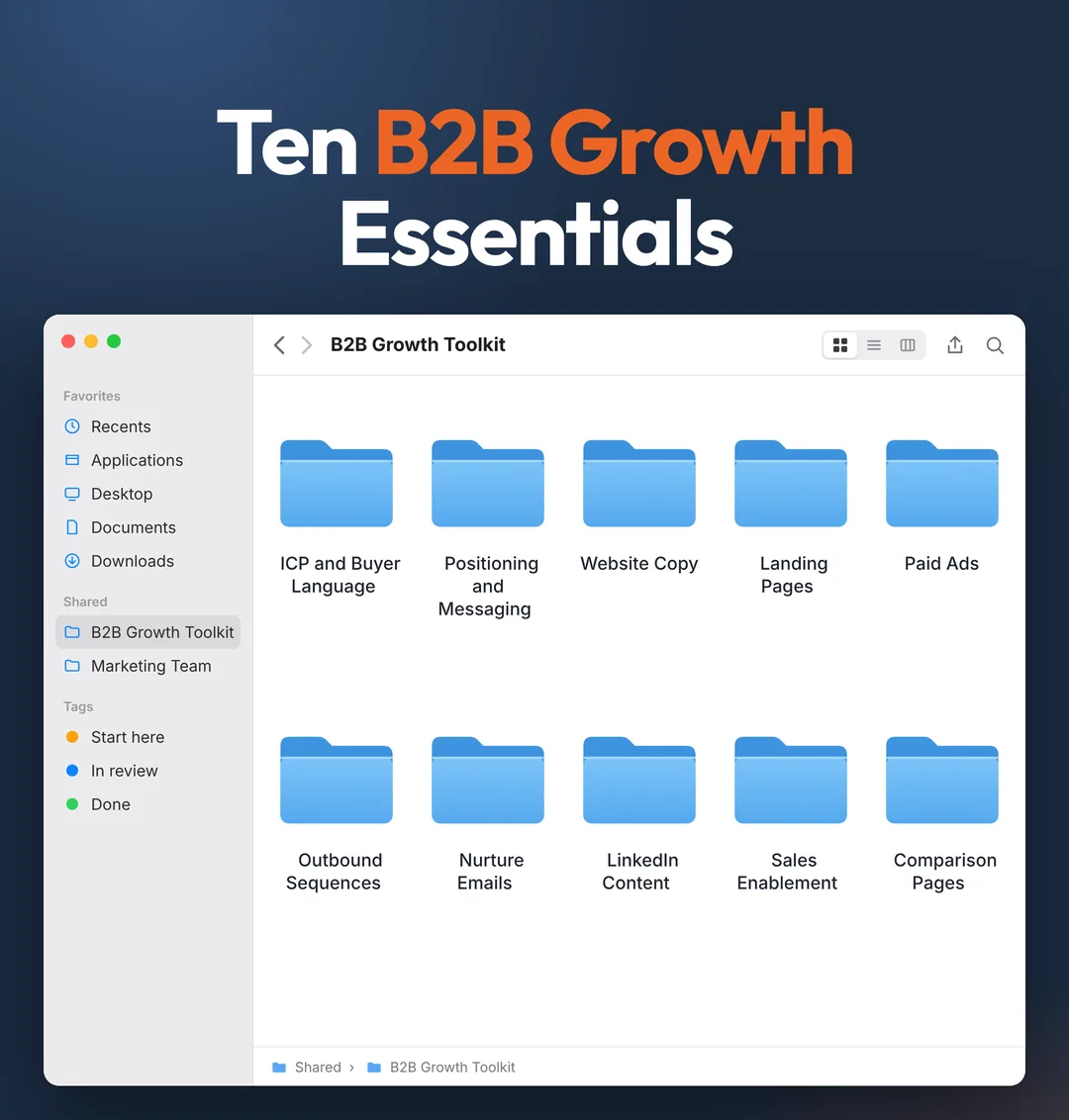

Ten B2BGrowth Essentials
Ten folders in Claude that write the website copy, ads, sequences and pages your team keeps pushing to next quarter.
 Brian SheltonFounder, Grow PredictablyFree · 10 Claude folders · 1 Claude project
01 / 10 · Read this first
Who built this, and why
I'm Brian Shelton. I run Grow Predictably, where I help B2B SaaS founders and marketing leaders find the one thing capping their growth and fix that first. I lead AI innovation for a B2B SaaS marketing team, and Grow Predictably runs alongside that.
Most teams I talk to don't lack strategy. They lack the hours to ship it, and another hire isn't always the answer. So my team built this toolkit to do the shipping: ten folders in Claude that write the website copy, ads, sequences and pages your team keeps pushing to next quarter. It doesn't replace anyone. It gives the people you already have room to ship.
Want to see where your growth is stuck right now? Take the free Growth Gap Scan. It's 16 questions, takes about two minutes, and scores you across the four growth pillars with practical next steps.
02 / 10
What this is
Ten folders for B2B growth. Each one hands back finished drafts your team can edit and ship, not a template to fill in.
| Folder | What you get back |
|---|---|
| 1. ICP and Buyer Language | An ICP one-pager and a bank of the exact phrases your buyers use |
| 2. Positioning and Messaging | A positioning line, three core messages and the proof behind each |
| 3. Website Copy | Rewritten homepage, product page and pricing page copy |
| 4. Landing Pages | A complete landing page for each campaign, headline to FAQ |
| 5. Paid Ads | LinkedIn and Google ad variations written in your buyers' words |
| 6. Outbound Sequences | A four-step email sequence plus LinkedIn messages for each segment |
| 7. Nurture Emails | A six-email sequence for leads who aren't ready to talk yet |
| 8. LinkedIn Content | A month of posts for your founder or executive, pulled from sales calls |
| 9. Sales Enablement | Battlecards, objection replies and follow-up emails for your sales team |
| 10. Comparison Pages | "Us vs them" and alternatives page drafts for your top competitors |
Every folder has three things:
- What to feed it. The inputs Claude needs, most of which you already have.
- The prompt. Copy it, paste it, and Claude writes the drafts.
- The check before it ships. A short list a person runs before anything goes live.
Folders one and two feed everything else. Run them once, save what they write, and every other folder writes in your buyers' language instead of generic marketing copy.
Hand it to whoever runs demand gen on your team. They run the folders. You approve the positioning and anything that goes out under your name.
03 / 10
Before you start
- A Claude account. Projects are available on every plan, including free.
- Five to ten recent sales call notes or call summaries, won and lost. This is the most valuable input in the whole toolkit.
- Your homepage, product page and pricing page as pasted text.
- Your top three competitors and a link to each one's pricing and product pages.
- Two or three things you've written that sound like you: a post, an email, a page you're proud of.
- One owner. Usually whoever runs demand gen.
- About two hours for folders one and two. After that, most folders take 20 to 40 minutes, including the review.
04 / 10
Setup, about 20 minutes
- In Claude, go to Projects and click New Project. Name it "Growth Toolkit".
- Click Set project instructions and paste the instructions below.
- Fill in the growth brief (below) and add it to project knowledge with the + button on the project page.
- Add your call notes, your three page texts and your writing samples to project knowledge too.
- Open a new chat inside the project for each folder and paste that folder's prompt.
- When a folder finishes, save its output back into project knowledge with the file name it gives you. The next folder will use it.
Project instructions
You are the writing team for a B2B SaaS growth team.

How to work:
1. Use only facts from the growth brief, the call notes and what I paste
   in. If a fact is missing, write [confirm] and keep going. Never invent
   a customer, result, number, quote or feature.
2. Write in our buyers' words. Use the buyer phrase bank when it exists.
   Prefer a phrase a buyer actually said over a clever one.
3. Match the voice in our writing samples. Plain, specific, no hype.
   No "revolutionize", "unlock", "game-changer" or "seamless".
4. Give finished drafts, not outlines, unless I ask for an outline.
5. Every claim needs proof from the brief. If there's no proof, cut the
   claim or mark it [needs proof].
6. End every output with: what you assumed, and what a person must check
   before it ships.
The growth brief
Copy this into a document, fill it in, and add it to project knowledge as growth-brief.md. Twenty minutes here saves hours of fixing generic drafts later.
GROWTH BRIEF

What we sell, in one sentence:
Who it's for (role, company size, the situation that makes them a fit):
Who it's not for:
The problem we solve, in a buyer's words (quote a call if you can):
What changes for them after (the before and after):
Our offer and pricing model as shown publicly:
Proof we can use (named customers we're allowed to mention, results we
can quote with the source, reviews, certifications):
Top three competitors, and where each one is the better fit:
Our main call to action (demo, trial, assessment, contact):
Words we never use:
Who signs our emails and who posts on LinkedIn for us:
05 / 10
Where to start
You don't need all ten folders this quarter. Start where buyers drop off, and run the three folders that fix that stage first.
| Where buyers drop off | Run these first |
|---|---|
| Not enough of the right people find you | 5. Paid Ads, 8. LinkedIn Content, 10. Comparison Pages |
| They visit but don't convert | 3. Website Copy, 4. Landing Pages, 2. Positioning and Messaging |
| They convert but go quiet before a sales call | 7. Nurture Emails, 6. Outbound Sequences |
| They talk to sales but don't close | 9. Sales Enablement, 10. Comparison Pages |
Not sure which stage it is? That's what the Growth Gap Scan at the top and bottom of this page is for.
06 / 10
The ten folders
Open a folder to see what it hands back, what to feed it, the prompt, and the check a person runs before anything ships.
01ICP and Buyer LanguageAn ICP one-pager your whole team can work from, and a bank of 20 or more phrases buyers actually use for the problem, each with where it came from.
What you get back: An ICP one-pager your whole team can work from, and a bank of 20 or more phrases buyers actually use for the problem, each with where it came from.
What to feed it: the growth brief and your call notes.
Run folder one: ICP and Buyer Language.

Read the growth brief and every call note in project knowledge, won and
lost.

Write two things.

PART A: ICP one-pager
- Who we win with: role, company size, situation, the trigger that made
  them start looking
- Who we lose or shouldn't sell to, and why
- The three triggers that most often start a deal (a new leader, a
  failed tool, a launch, a hiring push, whatever the notes show)
- What they're trying to get done, in their words
- What they're afraid of when they choose a vendor

PART B: Buyer phrase bank
- Every phrase a buyer used to describe the problem, the outcome they
  want, or their fear, quoted exactly
- For each: which call it came from, and how many calls used something
  similar
- Next to each, the words our website uses for the same idea
- Flag phrases our site uses that no buyer ever said

Save as icp-and-buyer-language.md.
The check before it ships
- Sales reads the one-pager and recognizes their best deals in it.
- "Who we shouldn't sell to" is as specific as "who we win with".
- Every phrase in the bank is a real quote, not a paraphrase.
02Positioning and MessagingA positioning line, three core messages, the proof behind each one, and short and long versions of your value statement for use everywhere else.
What you get back: A positioning line, three core messages, the proof behind each one, and short and long versions of your value statement for use everywhere else.
What to feed it: the growth brief and icp-and-buyer-language.md.
Run folder two: Positioning and Messaging.

Read the growth brief and icp-and-buyer-language.md.

Write:
1. One positioning line: For [who], who [situation], we [what we do] so
   they can [outcome]. Unlike [alternative], we [one real difference].
2. Three core messages. Each one:
   - the message in one sentence, in buyer language
   - the feature it rests on
   - the proof from the brief (or [needs proof])
   - two buyer phrases from the bank that support it
3. Our value statement in three lengths: ten words, 25 words, 50 words.
4. A list of claims on our current pages we can't support yet.

Save as positioning-and-messaging.md.
The check before it ships
- Every message has proof behind it, or is marked.
- The positioning line uses at least one phrase a buyer actually said.
- You, or whoever owns positioning, signs off before folders three to ten run.
03Website CopyNew copy for your homepage, main product page and pricing page, section by section, with the old copy beside the new so the change is easy to review.
What you get back: New copy for your homepage, main product page and pricing page, section by section, with the old copy beside the new so the change is easy to review.
What to feed it: the pasted text of each page, plus the files from folders one and two.
Run folder three: Website Copy.

Read positioning-and-messaging.md and icp-and-buyer-language.md.
Here are our current pages: [paste homepage, product page and pricing
page text].

For each page, write new copy section by section:
1. The first two sentences: what we do, who it's for, and the one thing
   that makes us different, in buyer language. A new visitor should get
   it in five seconds.
2. Every section after that: old copy, then new copy. Keep every fact.
   Change how clearly it's said.
3. Headlines that say something specific. No "Welcome to" or "The
   future of".
4. On the pricing page, answer the three questions buyers ask most about
   price, from the call notes.
5. A primary call to action per page that matches the growth brief.

Mark anything you're unsure about [confirm].
Save as website-copy.md.
The check before it ships
- The product owner has checked every fact.
- Someone outside marketing can say what you do after reading the first two sentences.
- No claim appears that folder two marked [needs proof].
04Landing PagesA complete landing page for one campaign: headline, subhead, body sections, proof, FAQ and call to action, ready to hand to whoever builds pages.
What you get back: A complete landing page for one campaign: headline, subhead, body sections, proof, FAQ and call to action, ready to hand to whoever builds pages.
What to feed it: the campaign (who it's for and what you're offering), plus folders one and two.
Run folder four: Landing Pages.

Campaign: [who it's for, what we're offering, where traffic comes from].
Read positioning-and-messaging.md and icp-and-buyer-language.md.

Write a full landing page:
1. Headline: the outcome this buyer wants, in their words
2. Subhead: who it's for and what they get
3. Three sections, each tied to one core message, each with its proof
4. A short "how it works" in three steps
5. Proof block: only proof from the growth brief
6. FAQ: five questions this buyer asks, from the call notes, answered in
   one or two sentences each
7. One call to action, repeated at the top and bottom
8. Three alternative headlines to test

Keep it under 600 words. Save as landing-page-[campaign].md.
The check before it ships
- The headline matches the ad or post that sends people to it.
- One call to action, not three.
- Every FAQ answer is accurate and approved.
05Paid AdsAd variations for LinkedIn and Google, each tied to a core message and written in buyer language, ready to load.
What you get back: Ad variations for LinkedIn and Google, each tied to a core message and written in buyer language, ready to load.
What to feed it: the campaign, the landing page from folder four if you have one, plus folders one and two.
Run folder five: Paid Ads.

Campaign: [who it's for, the offer, the landing page].
Read positioning-and-messaging.md and icp-and-buyer-language.md.

Write:
LINKEDIN
- Six single-image ads. Each: intro text under 150 characters, headline
  under 70 characters, and a one-line image idea.
- Two ads per core message. Open with a buyer phrase or the buyer's
  problem, never with our company name.

GOOGLE SEARCH
- One responsive search ad: 15 headlines under 30 characters and four
  descriptions under 90 characters.
- A list of 20 search terms this buyer would type, taken from the
  buyer phrase bank, marked "high intent" or "research".

Keep every claim inside what the growth brief supports.
Save as ads-[campaign].md.
The check before it ships
- Character limits checked in the ad platform itself.
- Every ad points to a page that says the same thing.
- No claim appears that you can't prove.
06Outbound SequencesA four-step email sequence and two LinkedIn messages for one target segment, built around the triggers from folder one.
What you get back: A four-step email sequence and two LinkedIn messages for one target segment, built around the triggers from folder one.
What to feed it: the segment you're targeting, plus folders one and two.
Run folder six: Outbound Sequences.

Segment: [role, company type, the trigger we're targeting].
Read icp-and-buyer-language.md and positioning-and-messaging.md.

Write:
EMAIL 1 (day one): Subject under six words. Line one names the trigger in
plain words. Line two says what it usually means for a company like
theirs. Line three says what we do about it. End with one easy yes or no
question. Under 90 words.
EMAIL 2 (day four): A useful idea or question related to the trigger. No
"just following up". Under 70 words.
EMAIL 3 (day nine): One piece of proof from the growth brief, tied to their
situation. Under 70 words.
EMAIL 4 (day 16): A short, polite close-the-loop. Under 50 words.
LINKEDIN: a connection note under 200 characters with no pitch, and one
message for after they accept, under 50 words.

Use [first name] and [company] as placeholders. Sign as the person named
in the growth brief. Save as outbound-[segment].md.
The check before it ships
- Each email would make sense to someone who never read the one before.
- Every proof point is approved for external use.
- The sequence runs from your own tools, sent by a person.
07Nurture EmailsA six-email sequence for leads who downloaded something or signed up but aren't ready to talk to sales.
What you get back: A six-email sequence for leads who downloaded something or signed up but aren't ready to talk to sales.
What to feed it: what they signed up for, plus folders one and two.
Run folder 7: Nurture Emails.

Entry point: [what the lead signed up for or downloaded].
Read icp-and-buyer-language.md and positioning-and-messaging.md.

Write six emails, one every four to six days:
1. Deliver what they asked for and set expectations for the next emails
2. The mistake buyers like them make most often, from the call notes
3. A simple framework or checklist they can use today
4. A before and after, using a buyer's own words (no invented stories)
5. The question buyers ask most before choosing, answered honestly,
   including when we're not the right fit
6. A clear, low-pressure invitation to our main call to action

Each email: a subject line, a preview line, under 180 words, one link.
Save as nurture-[entry-point].md.
The check before it ships
- Every story or example is real and approved.
- Each email is useful on its own, even if they never buy.
- Only the last email asks for the sale.
08LinkedIn ContentA month of LinkedIn posts for your founder or executive, built from the best moments in your sales calls, in their voice.
What you get back: A month of LinkedIn posts for your founder or executive, built from the best moments in your sales calls, in their voice.
What to feed it: the call notes, the writing samples, and folders one and two.
Run folder eight: LinkedIn Content.

Who's posting: [name and role]. Read their writing samples, the call
notes, icp-and-buyer-language.md and positioning-and-messaging.md.

1. Pull the twelve most useful moments from the calls: questions buyers keep
   asking, objections, mistakes they made before finding us, decisions
   they were stuck on.
2. Pick the best eight and write one LinkedIn post for each, 120 to 250
   words, in the poster's voice from the samples.
3. First line under twelve words. Answer the buyer's question plainly
   in the first five lines. No hashtags. No hype words.
4. Mix the formats: two how-to posts, two opinion posts, two posts
   answering a buyer question, two short stories using only real
   details.
5. Under each post, note which call it came from. Never name a prospect
   or their company.

Save as linkedin-posts-[month].md.
The check before it ships
- The person posting has read and edited every post.
- No prospect or customer can be identified without permission.
- Every story actually happened.
09Sales EnablementA battlecard for each top competitor, replies to your five most common objections, and three follow-up emails sales can send after a first call.
What you get back: A battlecard for each top competitor, replies to your five most common objections, and three follow-up emails sales can send after a first call.
What to feed it: competitor pages, call notes, and folders one and two.
Run folder nine: Sales Enablement.

Read the growth brief, icp-and-buyer-language.md and
positioning-and-messaging.md. Here are our competitors' public pricing
and product pages: [paste text with links].

Write:
1. One battlecard per competitor: who they fit best, where we're the
   better fit, three questions to ask that bring our strengths into the
   conversation, and what to say when the buyer brings them up. Only
   claims their public pages support, each with a link.
2. Replies to the five objections that come up most in the call notes.
   Each: the objection in the buyer's words, a short honest reply, and
   one piece of proof.
3. Three follow-up emails for after a first call: one recap, one that
   answers an open question, one that shares something useful. Each
   under 120 words.

Save as sales-enablement.md.
The check before it ships
- Sales has tried the objection replies on real calls and edited them.
- Every competitor claim has a source and a date.
- Battlecards include where the competitor is the better fit. Buyers trust that.
10Comparison PagesAn "us vs them" page and an alternatives page for one competitor, written to be fair and easy for buyers, search engines and AI tools to read.
What you get back: An "us vs them" page and an alternatives page for one competitor, written to be fair and easy for buyers, search engines and AI tools to read.
What to feed it: the competitor's public pages, plus folders one and two.
Run folder ten: Comparison Pages.

Competitor: [name]. Read the growth brief and
positioning-and-messaging.md. Here are their public pricing, product and
security pages: [paste text with links].

Write two pages:
PAGE A: "[Us] vs [Competitor]"
- The answer in the first two sentences, including who each product
  fits best
- A comparison table: who it's for, setup, integrations, security,
  pricing model. Our side only from the brief. Their side only from
  their public pages, with links and the date read.
- A section called "Where [Competitor] is the better fit"
- Five FAQs from real buyer questions

PAGE B: "[Competitor] alternatives"
- Who usually looks for alternatives, and why, in buyer words
- The real alternatives buyers consider, including us, each with who it
  fits and a link to a public source. Don't automatically put us first.
- Four FAQs

End both with "Facts to confirm" and "Claims to check with legal".
Save as comparison-[competitor].md.
The check before it ships
- Legal or the founder has read every competitor claim.
- The "better fit" section is honest, not a backhanded compliment.
- Every claim about your product matches the growth brief.
07 / 10
A month with it
- Week one. Folders one and two. Get sign-off on the positioning.
- Week two. The three folders that match where buyers drop off.
- Week three. Ship what's approved. Start one more folder.
- Week four. Folder eight for next month's posts. Look at what moved, and pick next month's three folders.
08 / 10
What this won't do
It won't ship anything. Every output is a draft. Your team edits, approves and publishes.
It can't make up for thin inputs. Generic call notes and an empty growth brief give you generic copy. The better the inputs, the less you edit.
It doesn't know your market better than your sales team. The call notes are the best source in here. Claude reads them; it didn't sit in the calls.
It won't guarantee results. It gets the work written. Whether it works is something you measure after it's live.
Claude can be wrong in a convincing way. Check every fact, number and quote before anything goes out under your name.
09 / 10
Sources
- Claude Help Center, How can I create and manage projects? (creating projects, project knowledge, project instructions, availability on free plans). https://support.claude.com/en/articles/9519177 (checked October 25, 2026)
10 / 10
Not sure where to start?
Every folder is here, and nothing is held back. The hard part is choosing which three to run first, because that depends on where your growth is actually stuck.
That's what the Growth Gap Scan is for. It's free.
- 16 questions, about two minutes
- A score across the four growth pillars: attract, convert, ascend and accelerate
- Which of the twelve growth accelerators you already have, and which are missing
- A report with practical steps you can take right away
- Results on screen as soon as you finish
If the scan points to a gap worth talking through, there's a strategy call behind it.
The score is a starting point, not a promise about results.