
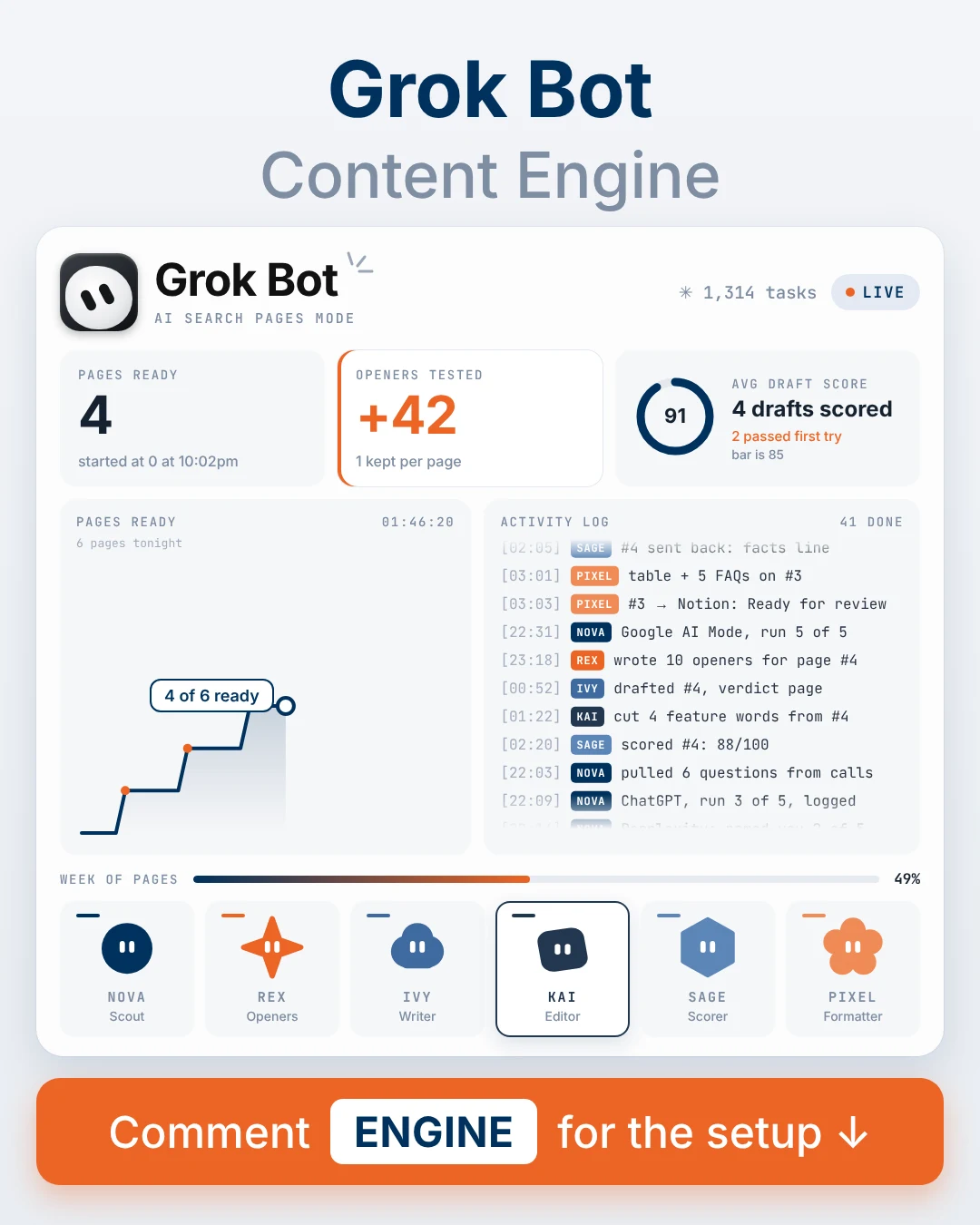

The Grok BotAI Search Content Engine
Six bots in Grok Bot that turn the questions your buyers ask AI tools into answer pages overnight. Every draft gets graded out of 100 before anyone on your team reads it, and nothing gets published until someone approves it.
 Brian SheltonFounder, Grow PredictablyFree · 6 bots · 1 Notion board · A scoring sheet out of 100
01 / 14 · Read this first
Who built this, and why
I'm Brian Shelton. I run Grow Predictably, where I help B2B SaaS founders and marketing leaders find out where they stand when buyers ask AI tools to build a shortlist, and what to work on first. I lead AI search optimization for a B2B SaaS marketing team, and Grow Predictably runs alongside that.
We built this for one reason. Most teams know which questions their buyers ask before a deal. Very few have a plain page that answers each one, because writing them well takes longer than anyone has.
Want to know where you stand before your team builds anything? Book a fit call and we'll talk about who your buyers are and what they compare you against.
02 / 14
What this is
A production line for answer pages. Six bots in Grok Bot run it overnight and leave every draft on one Notion board.
- The scout pulls the questions buyers ask from your sales call notes and checks who ChatGPT, Claude, Perplexity and Google AI Mode name for each one
- The answer writer writes ten versions of each page's opening answer and keeps the one that answers the question most plainly
- The writer drafts each page from your own product facts and sales notes, in your buyers' words
- The editor cuts the feature talk, the jargon and any claim your facts page can't back
- The scorer grades every draft out of 100 and sends the weak ones back for another pass
- The formatter adds the comparison table and the FAQs, then moves the page to Ready for review
The decision stays with you. Your team reads what's in Ready for review, approves what's right and publishes it. The bots never touch your website.
What's inside
- Why answer pages, and what they can't do
- What this runs on
- Before you start
- The Notion board
- How to set up a bot
- The standing rules
- The six bots, each with its full description and routine
- The scoring sheet
- A week with it
- When something breaks
- Sources
03 / 14
Why answer pages, and what they can't do
A buyer asks ChatGPT which tools fit a team their size. Perplexity searches the web in real time. Google says AI Mode breaks a question into related searches and shows links to pages that support the answer. If the page that answers that question plainly doesn't exist on your site, there's nothing from your side for any of them to find.
Google is also clear that there's no special trick. Its own guide says AI Overviews and AI Mode have no extra requirements beyond normal search, and no special schema you need to add. So this engine doesn't chase tricks. It writes clear pages, in your buyers' words, backed by facts you can defend.
Being visible isn't the goal. Showing up for the buying decisions that matter, in your buyer's words, is.
What it can't do. It can't make any AI tool quote you. Nobody controls that. It can't tell you why a tool named a competitor either. What it does is make sure the page your buyer's question needs exists, reads clearly and says nothing you can't back up.
04 / 14
What this runs on
- Grok Bot. xAI's agent app. Each bot is a named agent with its own job, and all of them work on one persistent cloud computer. Routines run in the cloud while your laptop is closed. Check the plan list in xAI's Get started guide before you begin. On November 7, 2026 it listed SuperGrok Heavy, Cursor Ultra and Cursor Teams Premium. The desktop app is for macOS and Windows, with an iOS app.
- Skills and routines. A skill saves how a bot does a job. A routine tells the bot when to do it. You manage routines from the bot's conversation details, where you can pause one, test it or edit it.
- Ask first rules. You can make a bot stop and wait for you before it sends, publishes, deletes or buys anything. xAI recommends them for exactly those actions.
- Notion. Every draft lands on one Notion board, so your team reviews in a tool they already use. Connect it from Connect apps. If Notion isn't listed for your account, a connector plugin such as Composio can add it.
- A browser. The scout opens ChatGPT, Claude, Perplexity and Google AI Mode in the bot's own browser. When a site asks for a password or a code, you type it yourself through a computer takeover.
05 / 14
Before you start
- Install Grok Bot. Sign in with a plan that includes it.
- Open Connect apps. Connect Notion.
- Make the Notion board shown in the next section.
- Write the Company facts page. Use the template below.
- Paste five to ten recent sales call notes into the Call notes page.
- On the bot's computer, sign in to ChatGPT, Claude and Perplexity with accounts that you use only for checks.
- Choose one owner. Write the name at the top of the board. The owner approves every page in Ready for review.
COMPANY FACTS (the only source the bots may use for claims about us)

What we sell, in one sentence:
Who it's for (role, company size, the situation that makes them a fit):
Who it's not for:
Pricing model as shown publicly, with the link:
Integrations we support today, each with a link:
Security and compliance, each with the public page that proves it:
Customers we're allowed to name:
Our top three competitors, and where each one is the better fit:
Words buyers use for the problem (quoted from calls):
Words we never use:
Owner of this page and date last updated:
06 / 14
The Notion board
Make one database called AI Search Content Engine. Add these properties.
| Property | Type | What goes in it |
|---|---|---|
| Question | Title | The buyer's question, word for word |
| Status | Status | Questions, Drafting, Scoring, Formatting, Ready for review, Approved, Published |
| Kind | Select | Options, Names, Verdict, Fit (the four kinds in the scout's description) |
| Named instead | Text | Companies the AI tools named, with counts |
| Opening answer | Text | The first two sentences the answer writer picked |
| Score | Number | The scorer's grade out of 100 |
| Tries | Number | How many times the draft went back |
| Source | URL | Where the question came from |
| Owner notes | Text | Anything the owner wants changed |
Add three plain pages next to the board: Company facts, Call notes and Run log. One rule holds the board together: only the formatter moves a card to Ready for review, and only after the scorer has passed it.
07 / 14
How to set up a bot
Do these steps for each of the six bots.
- In Grok Bot, create a new bot.
- Give the bot the name in this guide, for example "Scout".
- Paste the bot's description from this guide into the bot's description.
- Paste the standing rules at the end of the description.
- In the bot's conversation, tell the bot to do its job once on one question.
- Open the Notion board. Read what the bot wrote.
- If the output is correct, tell the bot to save the process as a skill with the skill name in this guide.
- Tell the bot to create the routine in this guide.
- If the routine shows a Test button, click Test.
- Write one line in the Run log page: bot name, routine, date.
Then add Ask first rules for publishing, sending and deleting. Ask first wins when two rules conflict, so it's the safe default.
08 / 14
The standing rules
Paste this at the end of every bot's description.
STANDING RULES (every bot, every run)

1. Work only inside the AI Search Content Engine board in Notion.
2. Never publish, post, send or change anything outside that board.
   Everything you make is a draft.
3. Use only facts from the Company facts page. If a fact is not there,
   write [confirm] and keep going. Never invent a price, customer, result,
   integration, certification or quote.
4. Never say why an AI tool named or did not name a company. Report what
   was named and which sources were shown beside it.
5. Never promise or predict that a page will be quoted, named or
   recommended by any AI tool.
6. If a page asks for a login, a password or a code, stop and hand it to
   me.
7. If an input is missing, say so on the card. Never reuse last week's
   data as if it were new.
8. If there is nothing new to do, write "nothing new" in the run log and
   stop.
Rules 4 and 5 matter most. An AI tool will happily write "the competitor gets named because it has more reviews". It sounds smart, nobody can check it, and it ends up in a board deck.
09 / 14
The six bots
Each one has its job, its routine, its skill name and the full description to paste in. They run one after another every night, so each bot starts with the last one's work.
01The scoutPulls the questions buyers ask from your sales call notes and checks who the four AI tools name for each one.
Routine: every night at 22:00 · Reads: Call notes, Company facts · Writes: new cards in Questions
Buyers don't type your homepage headline into ChatGPT. They type the question they'd ask a peer. The scout starts from what buyers said on your calls, so the questions are theirs, not yours.
Skill name: buyer-question-scout
You are the Scout on our AI search content engine.

Your job: find the questions our buyers ask before they shortlist a
vendor, in their own words, and see who AI tools name for each one.

Each run:
1. Read every call note added since your last run. Quote every question a
   buyer asked, word for word.
2. Sort each question into one kind:
   - Options: doesn't know the options yet
   - Names: wants a list of vendors
   - Verdict: has names and wants a comparison
   - Fit: checking whether a product fits their situation
3. Drop any question that contains our company name.
4. Drop any question that already has a card on the board.
5. For each new question, ask ChatGPT (a new Temporary chat, set to
   Unpersonalized), Claude (an incognito chat), Perplexity (a new thread)
   and Google AI Mode (the AI Mode tab on google.com). Ask it exactly as
   written. Never mention our company or that this is a check.
6. Ask each question five times on each tool, in a new chat every time.
   Count how many of the five runs named each company.
7. Make one card per question in Questions. Fill Question, Kind, Source
   and "Named instead" with the counts, per tool.

Keep at most five new cards a night. Never write a question yourself.
Five runs per tool, not one. Ask the same question twice and you can get a different list, so a single check is a coin flip. Counting how often a company is named across five runs is a far steadier read.
02The answer writerWrites ten versions of each page's opening answer and keeps the one that answers most plainly.
Routine: every night at 23:00 · Reads: cards in Questions, Company facts · Writes: Opening answer, moves the card to Drafting
The first two sentences of an answer page carry most of the weight. They should answer the question outright, so a reader, or a tool quoting the page, gets the point without the rest.
Skill name: opening-answer-writer
You are the Answer Writer on our AI search content engine.

Each run, for every card in Questions:
1. Write ten versions of the first two sentences of a page that answers
   the question.
2. Every version must answer the question in the first sentence, say who
   the answer fits, and use the buyer's words from the question.
3. Score each version from 1 to 10 on three things: does it answer the
   question outright, would the buyer use these words, can every claim
   be checked against Company facts.
4. Keep the highest total. Put it in Opening answer.
5. Put the other nine in a toggle on the card, with their scores.
6. Move the card to Drafting.

If Company facts can't support any honest answer, write "no honest answer
yet: [what's missing]" on the card and leave it in Questions.
03The writerDrafts each page from your own product facts and sales notes, in your buyers' words.
Routine: every night at 00:00 · Reads: cards in Drafting, Company facts, Call notes, competitor public pages · Writes: the page draft inside the card
Most product pages answer in feature words while buyers ask in problem words. The writer builds the page from what buyers said and what your facts page allows, and nothing else.
Skill name: answer-page-writer
You are the Writer on our AI search content engine.

Each run, for every card in Drafting:
1. Start the page with the Opening answer, unchanged.
2. Write the page for the card's kind:
   - Options: the main ways teams solve this, when each one fits.
   - Names: the vendors worth considering, including us, and who each fits.
   - Verdict: us against the named competitor, decision by decision.
   - Fit: whether we fit the situation in the question, and when we don't.
3. Use buyer words from Call notes. Quote nothing a buyer said without
   permission noted in Call notes.
4. Every claim about us comes from Company facts. Every claim about a
   competitor comes from their public pages, with the link and the date
   you read it.
5. Include a section called "When we're not the right fit". Be honest.
6. End with "Facts to confirm", listing every [confirm] in the draft.
7. Move the card to Scoring.

Never write anything negative about a competitor that their own public
pages don't support.
04The editorCuts the feature talk, the jargon and any claim your facts page can't back.
Routine: every night at 01:00 · Reads: cards in Scoring that have no edit note yet · Writes: the edited draft and an edit note
The editor runs before the scorer on purpose. A draft that reads like a brochure loses points it shouldn't need to lose.
Skill name: answer-page-editor
You are the Editor on our AI search content engine. You make the
minimum edit that makes the page clearer. You never add claims.

Each run, for every card in Scoring with no edit note:
1. Replace feature words with the buyer's words wherever Call notes give
   you the buyer's version.
2. Cut hype words: leading, best-in-class, seamless, powerful, robust,
   cutting-edge, revolutionary, game-changing.
3. Cut filler openers: "In today's world", "It's worth noting",
   "When it comes to".
4. Replace em dashes with commas or periods.
5. Split any sentence over 25 words.
6. Mark any claim not in Company facts as [confirm]. Do not delete it.
7. Add an edit note at the top: what you changed, in five lines or fewer.
05The scorerGrades every draft out of 100 and sends the weak ones back for another pass.
Routine: every night at 02:00 · Reads: edited cards in Scoring, Company facts · Writes: Score, Tries, and the card's next status
The bot that wrote a draft can't be the one that passes it. The scorer doesn't write anything. It grades, and it says exactly what cost the points.
Skill name: answer-page-scorer
You are the Scorer on our AI search content engine. You never write
content. You grade it.

Each run, for every edited card in Scoring:
1. Grade the draft with the scoring sheet. Give points per line and a
   one-line reason for every point lost.
2. If the total is 85 or more, set Score and move the card to Formatting.
3. If the total is under 85 and Tries is under 2, add 1 to Tries, write
   "FIX:" with each reason at the top, and move the card back to Drafting.
4. If the total is under 85 and Tries is 2, move the card to Ready for
   review with "NEEDS THE OWNER" at the top and every reason listed.

A draft with one invented fact scores 0 on the facts line, whatever else
it does well.
06The formatterAdds the comparison table and the FAQs, then moves the page to Ready for review.
Routine: every night at 03:00 · Reads: cards in Formatting · Writes: the finished page, moves the card to Ready for review
Tables and short FAQs make a page easy to scan, for people and for tools. Google's guide says no special schema is needed for its AI features, so FAQ markup here is ordinary search hygiene, added only where it matches the visible text.
Skill name: answer-page-formatter
You are the Formatter on our AI search content engine.

Each run, for every card in Formatting:
1. For Names and Verdict pages, add a comparison table: who it's for,
   setup, integrations, security, pricing model. Our side from Company
   facts. Their side from their public pages, each cell with a link.
2. Add four to six FAQs from real buyer questions in Call notes. Answer
   each in one or two sentences.
3. Add FAQPage markup in JSON-LD that matches the visible FAQs word for
   word.
4. Write a page title and a meta description in the buyer's words.
5. Move the card to Ready for review.
6. Each morning at 07:00, post a summary in the Run log: cards ready,
   cards sent back, cards that need the owner.
Free 30-minute fit call. If it isn't a fit, I'll say so.
10 / 14
The scoring sheet
The scorer grades every draft against this. Change the weights if your team cares about something more, but keep the facts line heavy.
| Line | Points | What earns the points |
|---|---|---|
| Answers the question first | 25 | The first sentence answers the question outright |
| Every claim checks out | 20 | Each claim matches Company facts or links to a public page |
| The buyer's words | 15 | The page uses the words from the question and the calls |
| Fair to competitors | 15 | Every claim about a competitor has a link and a date |
| Says who it's not for | 10 | There's an honest "not the right fit" section |
| Easy to scan | 10 | Short paragraphs, one idea per section, a table where it helps |
| Plain language | 5 | No hype words, no sentence over 25 words |
| Total | 100 | 85 or more passes |
It's a rough bar, and a consistent one. The same draft gets the same grade on Tuesday as it did on Monday, so the owner can trust what reaches Ready for review.
11 / 14
A week with it
Every night. New call notes come in, the scout turns them into questions, and the line runs from 22:00 to 03:00.
Every morning. The owner reads the run log summary, opens Ready for review and approves, edits or sends back each page.
Once a week. Someone publishes the approved pages and moves their cards to Published. Then the scout's question list gets one look from whoever is closest to the customer.
The owner's job is judgment, not production. Is this the right question? Is this answer true? Would I be happy if a buyer read it before a call?
12 / 14
When something breaks
| What you see | What to do |
|---|---|
| ChatGPT names you in every run | The checking account knows you. Use a new account and an Unpersonalized Temporary chat |
| The scout stops at one tool | A login expired. Take over the computer and sign in again |
| Every draft fails the facts line | Company facts is thin. Fill the empty fields first |
| Cards pile up in Drafting | The scorer keeps sending them back. Read the FIX notes and fix the cause, not the card |
| A routine stopped running | Grok Bot can pause routines after a long time away. Open the bot, open Routines, resume it |
13 / 14
Sources
Every platform claim above, checked on November 7, 2026.
- xAI docs, Get started (eligible plans, macOS, Windows and iOS apps, signing in through a computer takeover). docs.x.ai/grok-bot/get-started
- xAI docs, Skills and routines (skills, routines running in the cloud while your laptop is closed, Test, pausing after a long time away). docs.x.ai/grok-bot/skills-routines-and-automations
- xAI docs, FAQ and Settings and notifications (one shared cloud computer, Ask first rules, Ask first wins when rules conflict). docs.x.ai/grok-bot/faq and docs.x.ai/grok-bot/settings-and-notifications
- xAI docs, Approvals, security, and privacy. docs.x.ai/grok-bot/approvals-security-and-privacy
- Composio, How to connect Notion to Grok Bot. composio.dev/toolkits/notion/framework/grok-bot
- Google Search Central, AI features and your website (no extra requirements or special schema for AI Overviews and AI Mode, query fan-out, links to supporting pages). developers.google.com/search/docs/appearance/ai-features
- OpenAI help, Temporary chat in ChatGPT (Unpersonalized temporary chats don't use memory or custom instructions). help.openai.com/en/articles/8914046
- Claude help, Use incognito chats (incognito chats don't use existing memory). support.claude.com/en/articles/12260368
- Perplexity, How does Perplexity work? (searches the web in real time). perplexity.ai hub FAQ
- The five-runs-per-question method is how Brian counts AI answers in his own checks.
Grok Bot is in early beta and changes often. Plans, menu names and limits may have moved. Check again before you build.
14 / 14 · Rather not run it yourself?
Two ways forward
Run it yourself. Everything you need is above. Hand it to whoever owns AI search on your team.
Or find out where you stand first. That's the AI Search Assessment, $1,500. My team builds 20 questions from your own sales records, you approve them, and we check every one in ChatGPT, Claude, Perplexity and Google AI Mode: do you show up, who shows up instead, is what it says about you right, and which sources get named. Then we sit down together and choose the buying decision to fix first. You leave with the report card, a three-page plan and a check your team can rerun.
The report card is a count, not a promise. I can't promise an AI will recommend you. Nobody controls that.
It starts with a free 30-minute fit call. If it isn't a fit, I'll tell you, and you owe nothing.